
-
1
1. Create an account
To create your Candidate account
-
2
2. Search your job
Find the job you want to apply for
-
3
3. Apply for job
Apply your dream job
Job Apply Guide for Desktop Users
Follow the below steps that will help you how to apply for jobs in Gulf Login easily for Desktop users.
Step 1 : Click a Register button to create your free Candidate Account in our Gulf Login home page.
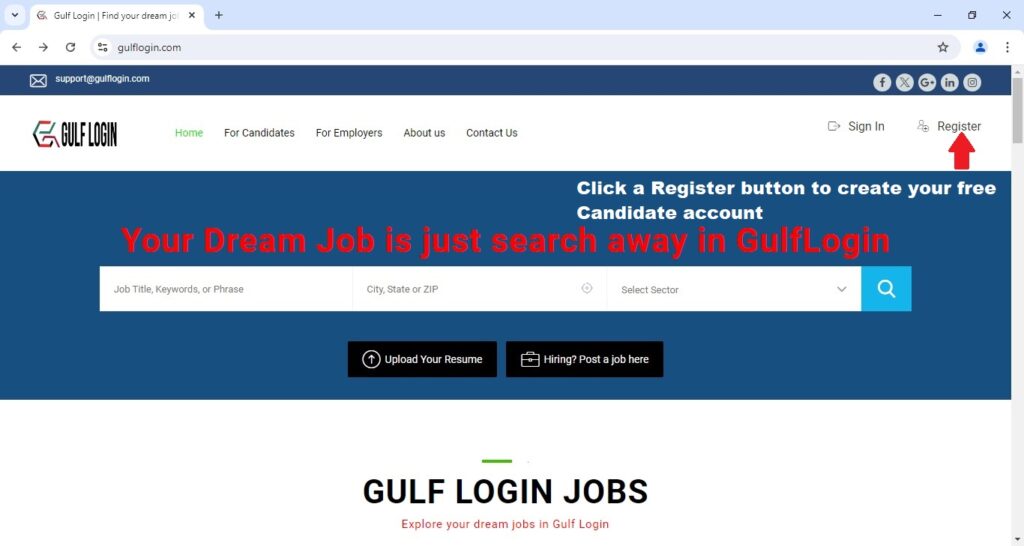
After you click a Register button, A registration form for Candidate / Employer will pop up on your screen.
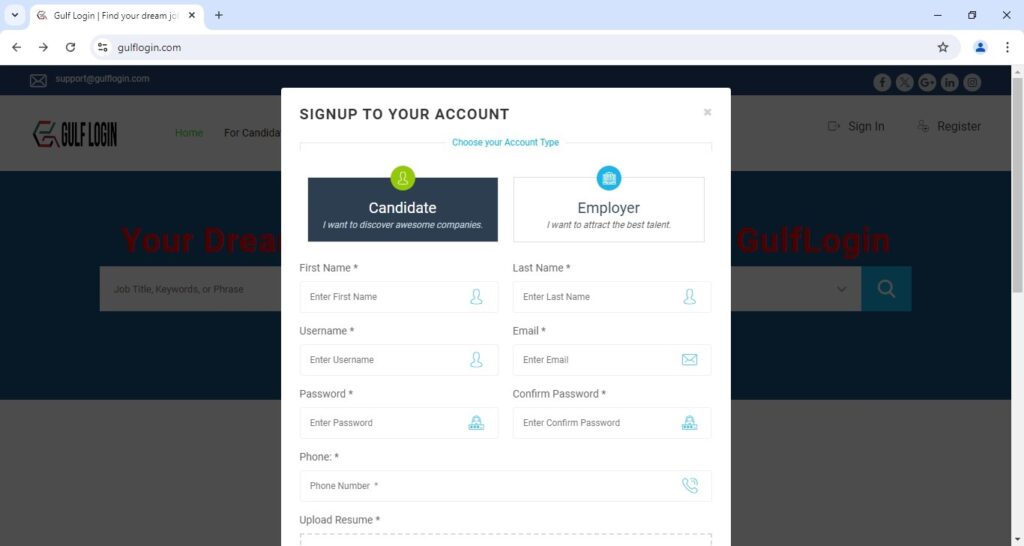
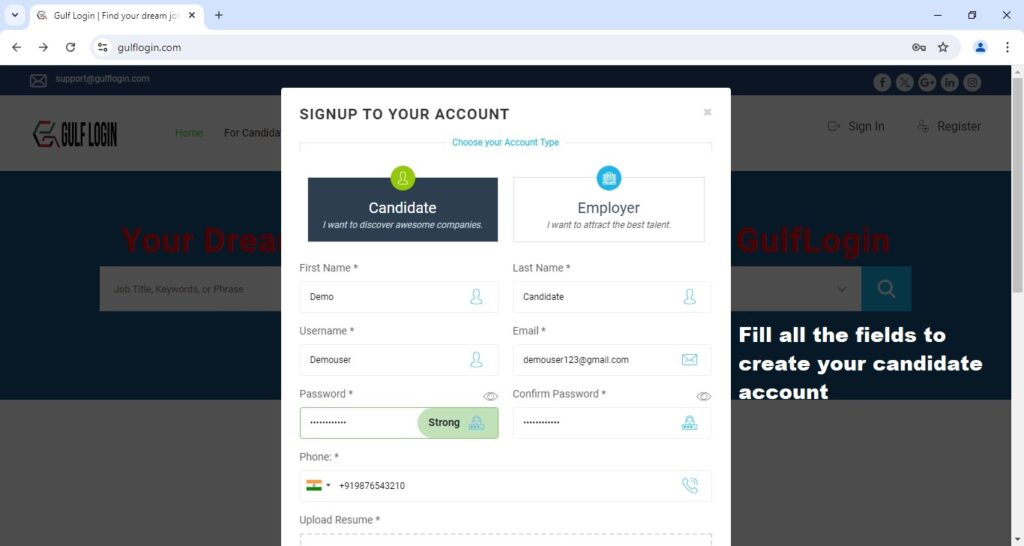
After you click a Register button, you should fill all the fields of candidate Sign Up form to create your account.
Step 2 : To fill this all required fields in a Candidate Sign Up form.
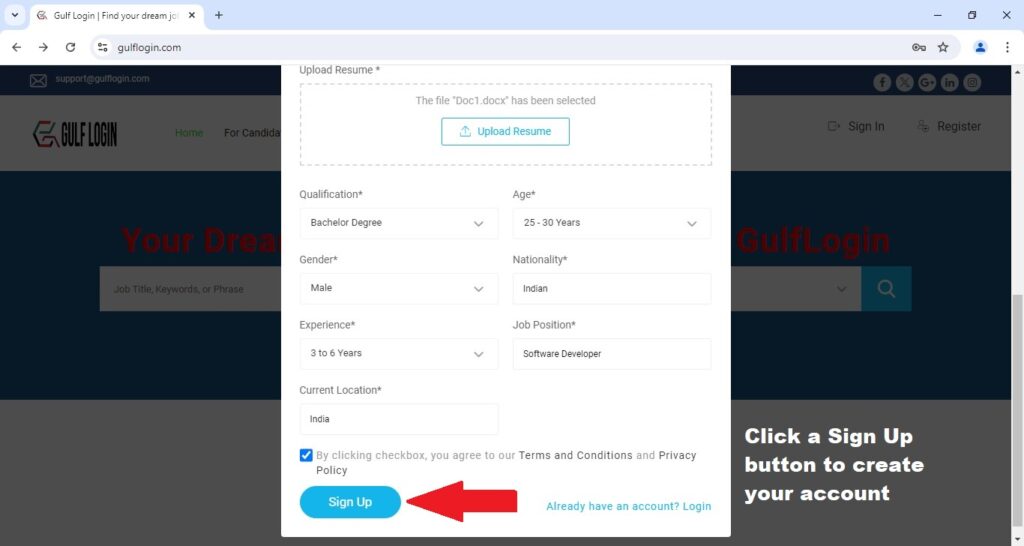
After you fill the fields such as First name, Last Name, Username, Email, Password, Phone Number, Upload Resume, Qualification, Age, Gender, Nationality, Experience, Job Position, Current Location and by accept the Terms and Privacy Policy. Then, you click a Sign up button to create your free Candidate account.
Step 3 : Click a Sign up button to create your account.
After you click a Sign Up button, Then you are redirecting to your candidate dashboard.
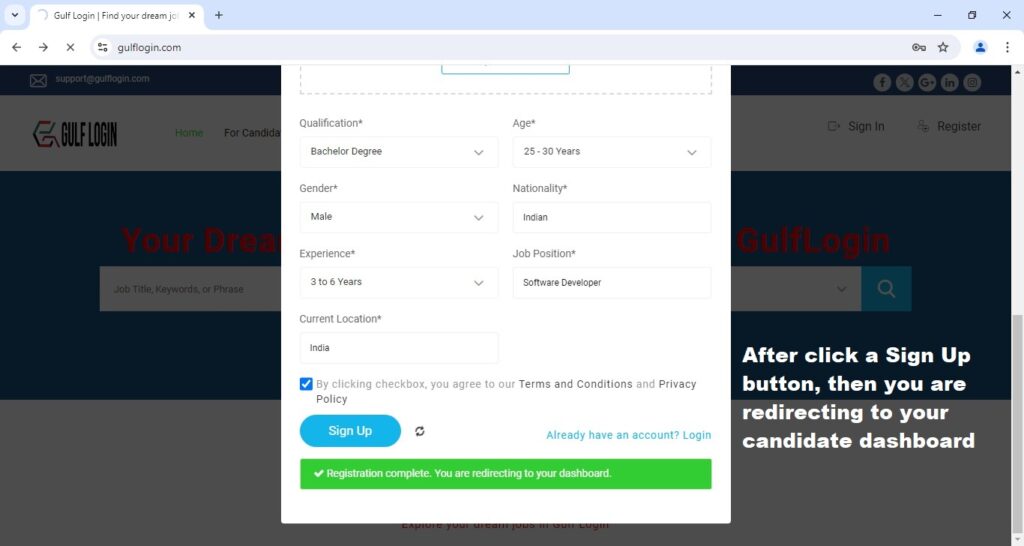
After you are redirecting to your candidate dashboard, Then click a For Candidates menu link to explore your dream jobs.
Step 4 : Click a For Candidates menu link.
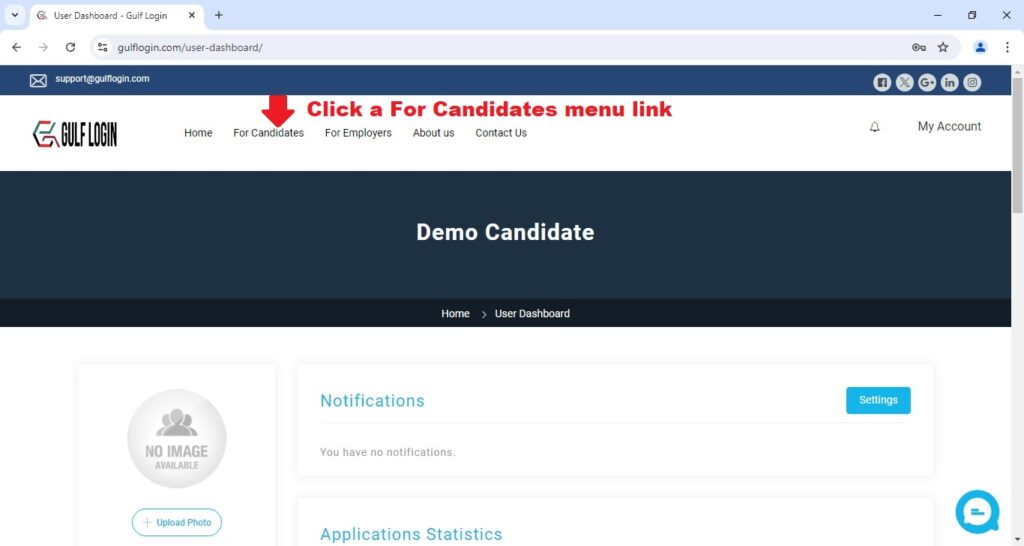
After you click a For Candidates menu link, Then you click Explore All Jobs link.
Step 5 : Click Explore All Jobs link to find your dream jobs
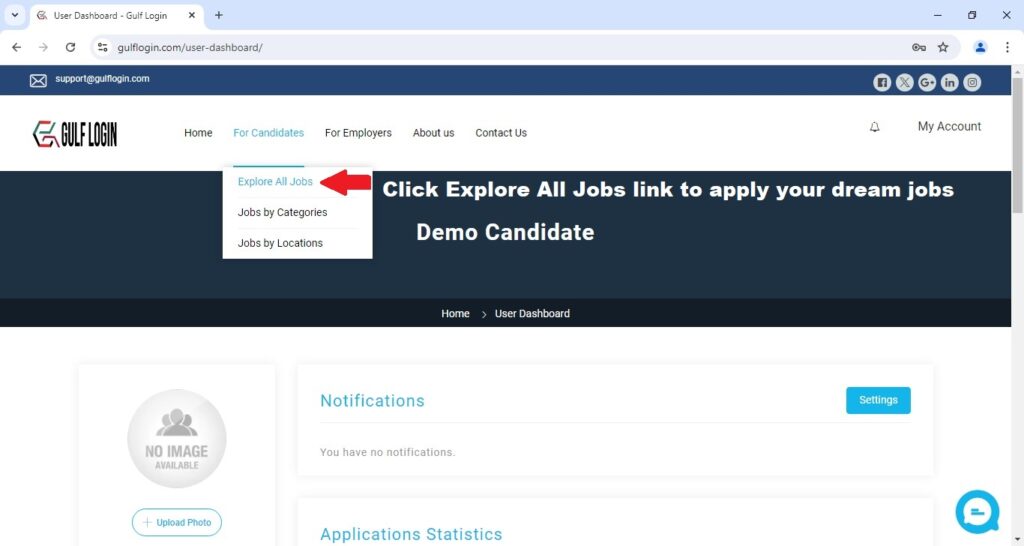
After you click Explore All Jobs link, Then you scroll down to view all jobs in our website.
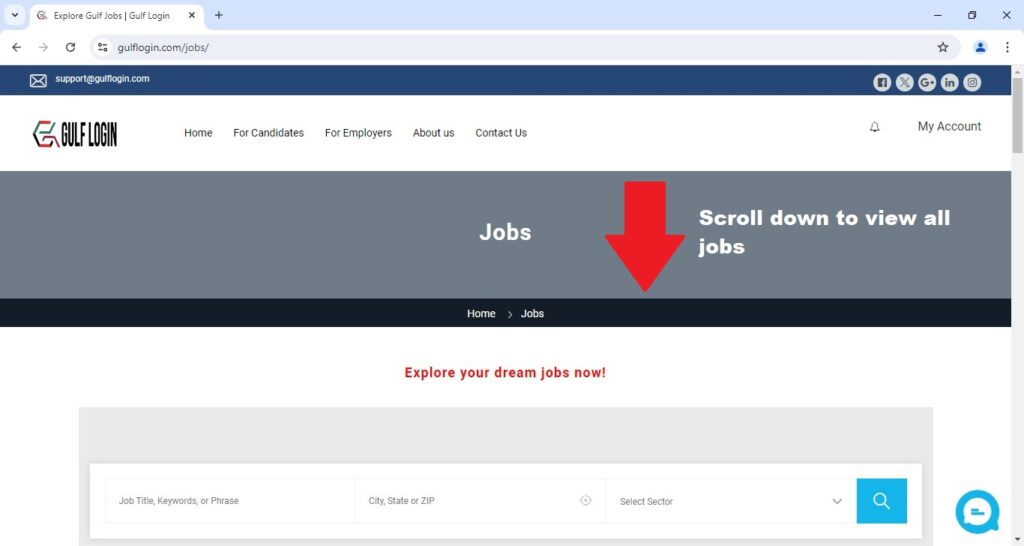
After you scroll down, you can view the all jobs. Then, click a job you want to apply for in our website.
Step 6: Click a job you want to apply for in our website.
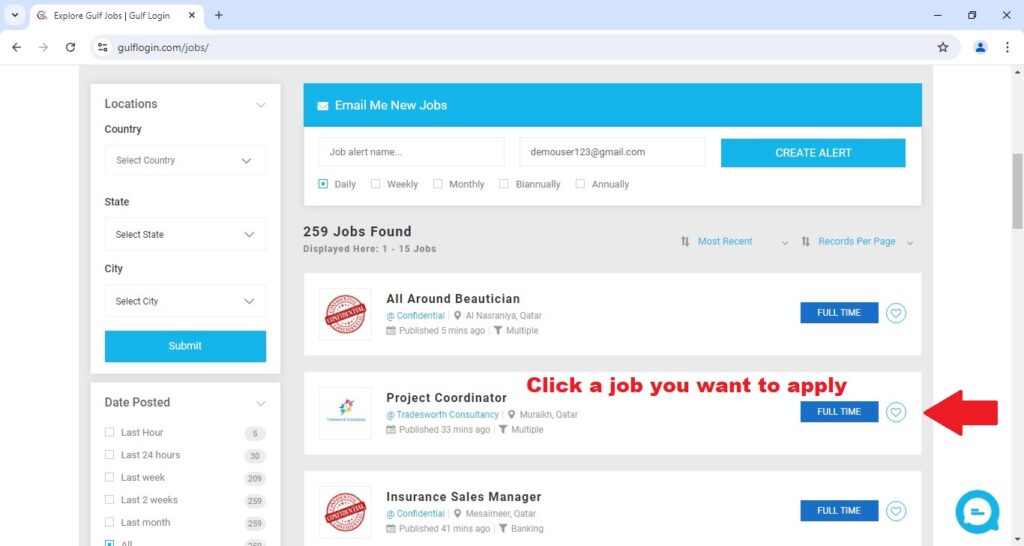
After you click on a job, that job information will be displayed on your screen. Then, scroll down to view detailed job information.
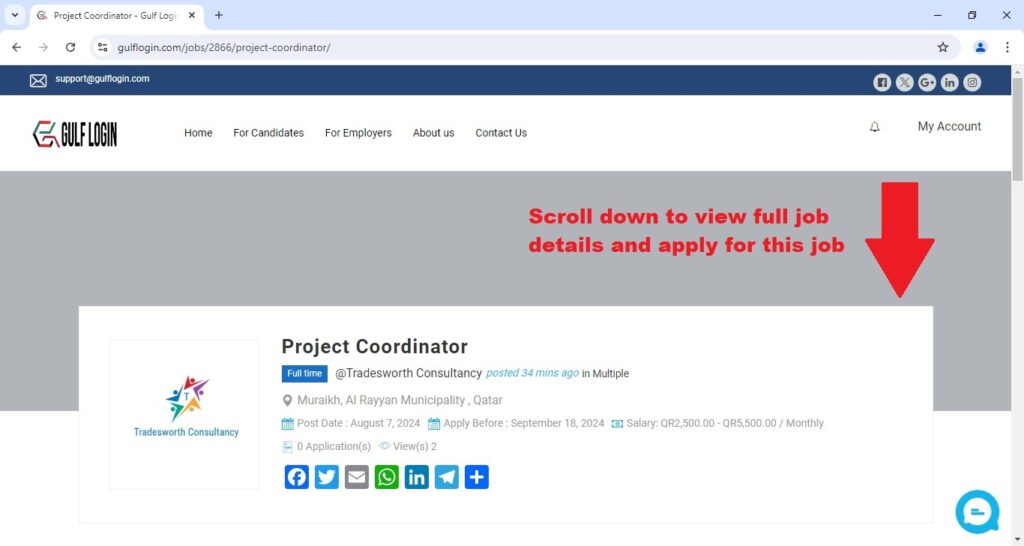
After you scrolling down to view the job details, Then click APPLY FOR THE JOB button.
Step 7 : Click a APPLY FOR THE JOB button.
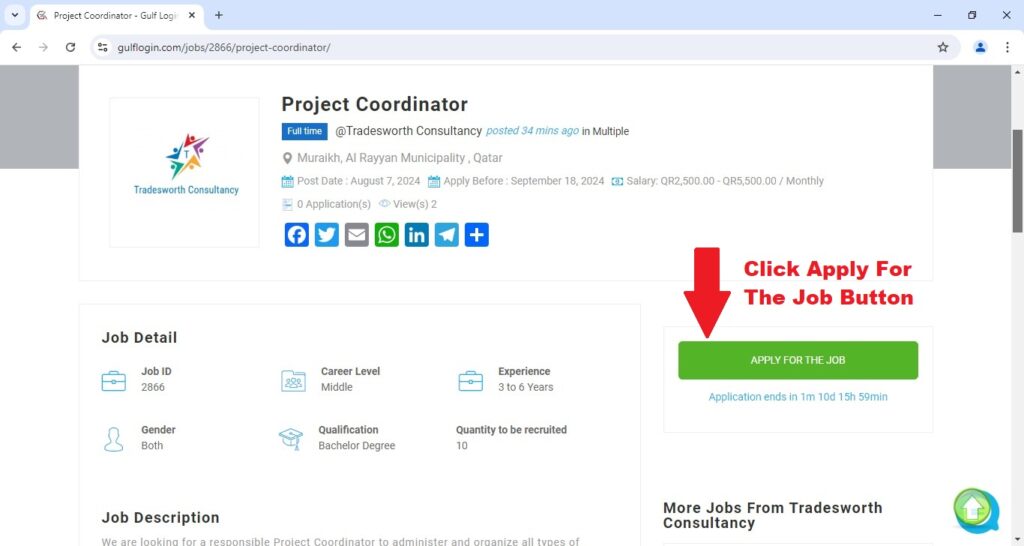
After you click APPLY FOR THE JOB button, Then a job apply form will pop-up on your screen.
Step 8 : Upload your CV and fill this Cover Letter field to apply your dream job.
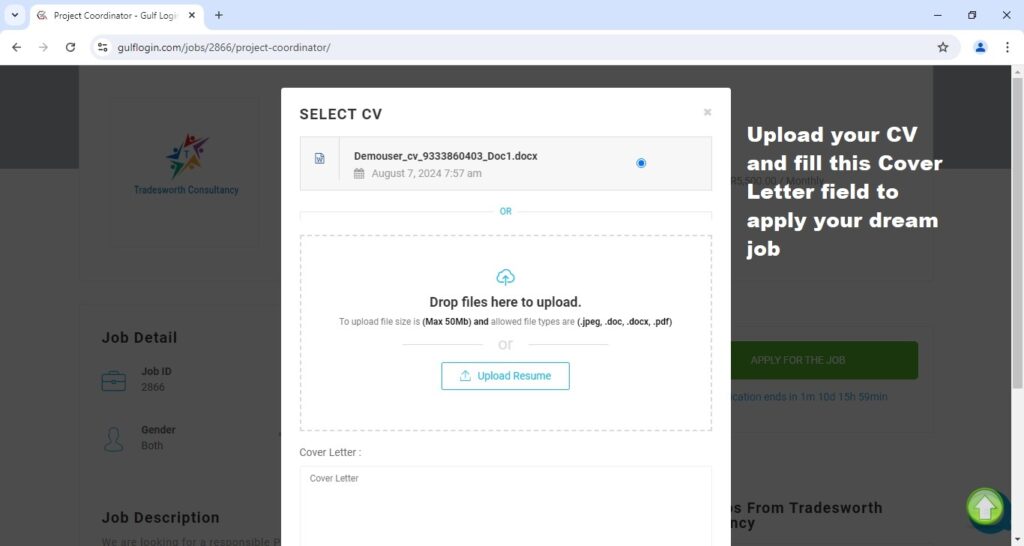
After Upload your CV and fill this Cover Letter field, Then you click APPLY FOR THE JOB button.
Step 9 : Click APPLY FOR THE JOB button.
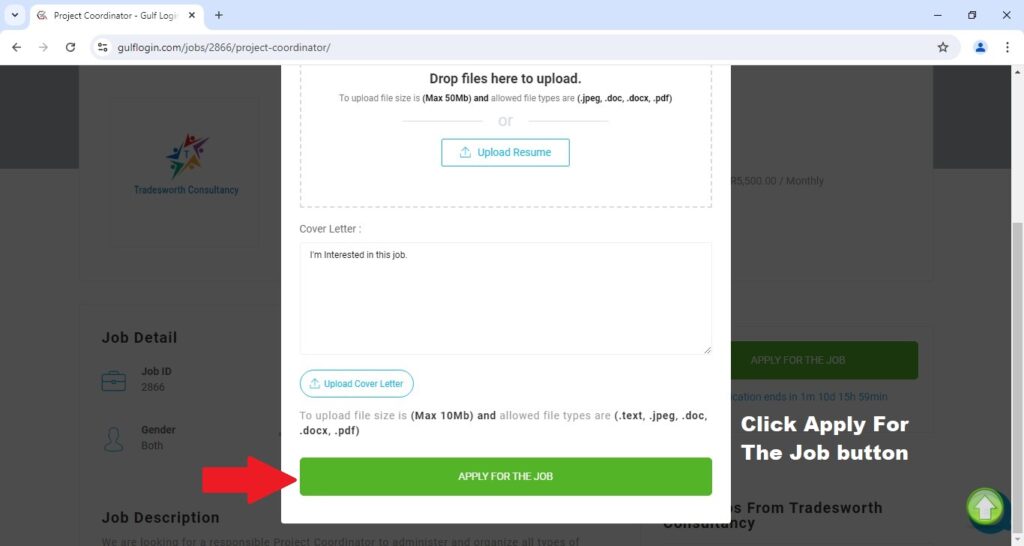
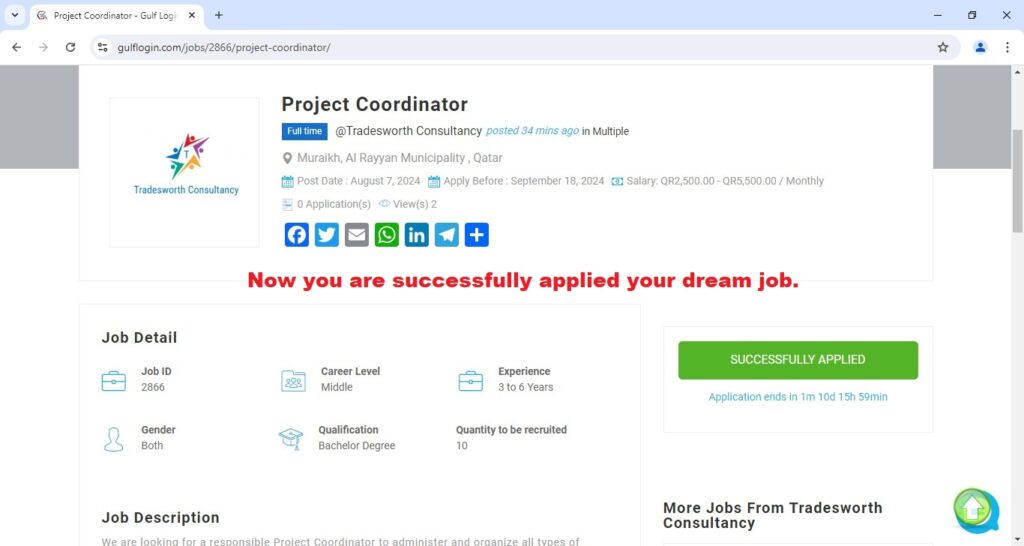
After you click APPLY FOR THE JOB button, Now you are successfully applied your dream job in our website.
Thank You:)
If you have any queries, Contact us :
Through our support@gulflogin.com mail
Through our Contact Us page